A mixed multiplication worksheet can hide the fact your child most needs to practice. If the sevens are the sticking point, choose the seven times table explicitly, use a short session, and ask about the strategy behind an answer before worrying about speed.
In Sumday, select Multiplication, keep only 7 selected under Times tables, choose ten questions, and use Relaxed pacing. Turn off Show elapsed time in Settings if you prefer a screen without a visible clock. Add division later to revisit the same relationships from another direction.
1. Connect a difficult fact to one your child can explain
Take 7 × 6. You can draw seven groups of six, or use a familiar five-times fact and one extra group: 5 × 7 = 35, so 6 × 7 = 35 + 7 = 42. Ask, “Where did the extra seven come from?” The explanation makes the relationship visible.
Try a nearby example together: 7 × 8 = 7 × 7 + 7 = 49 + 7 = 56. If the child does not yet know 7 × 7, use a drawing or a different known fact. Do not insist on one strategy when another is clearer to the learner.
For the sixes, a possible starting relationship is five groups plus one more. For the eights, try doubling a four-times fact if that is already familiar. These are worked options, not assumptions that a grade label tells you which facts your child knows.
2. Configure one times table in Sumday
- Choose the intended child profile and open Practice.
- Under Question types, select Multiplication and clear the other types.
- In Times tables, clear the selected table numbers and leave only 7 checked.
- Set Questions to ten and Pacing to Relaxed.
- Check the preview, then choose Start practice.
- If you do not want a visible clock, open Settings before the session and switch off Show elapsed time.
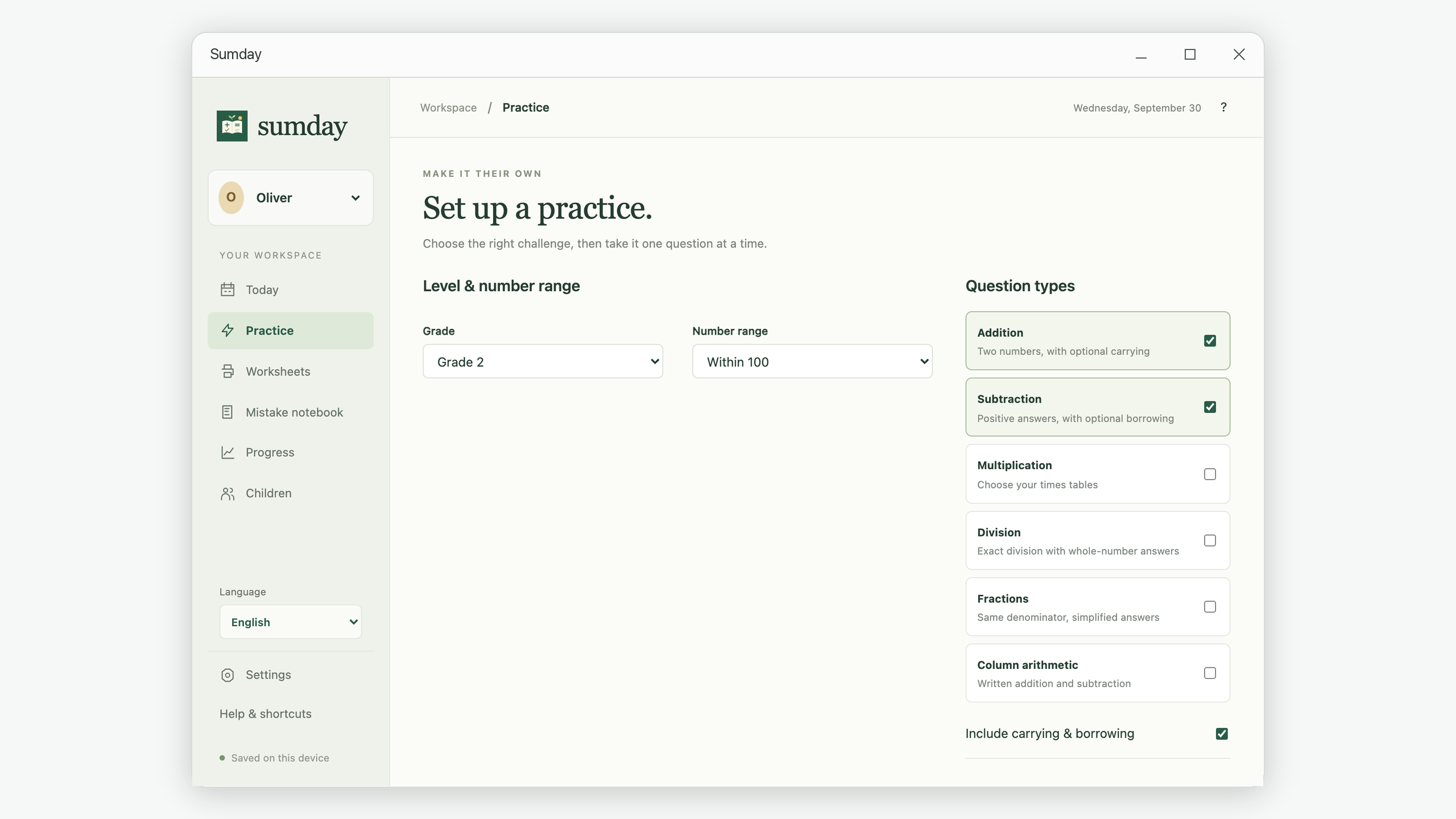
A selected table uses multipliers from 1 through 12. You may see the factors in either order: 6 × 7 still belongs to your seven-times practice. For multiplication and division, the Times tables choices control the facts; changing Number range does not cap their products.
A single multiplication table supplies up to twelve unique questions. Asking for twenty from that one table cannot produce twenty different facts. Reduce the count, add another table, or include division. Sumday reports when your selected settings cannot supply enough unique questions.
3. Use exact division to revisit the relationship
Once 7 × 6 = 42 makes sense, ask 42 ÷ 7 = ?. The question changes, but the relationship is the same. Check the quotient by multiplying: 6 × 7 returns 42.
For a Sumday session, keep 7 selected and enable Division. You can use division by itself or mix it with multiplication. The generated division questions have whole-number answers; this practice does not introduce remainders or long-division procedures.
Here is a small paper example to discuss before a mixed session:
7 × 6 = 42
6 × 7 = 42
42 ÷ 7 = 6
42 ÷ 6 = 7
In a seven-only division session, the selected divisor is 7, so expect questions such as 42 ÷ 7. To practice division by 6 as well, select that table too. The example above describes the complete fact family; it does not mean every member appears in a seven-only session.
4. Reuse this short practice routine
| Stage | Action | Example prompt |
|---|---|---|
| Explain | Work through one relationship together. | “How could five groups help with six groups?” |
| Try | Complete a short relaxed session independently. | “Use your strategy, then enter the answer.” |
| Review | Choose one missed fact from the notebook. | “Show how you got there. Which step changed?” |
| Return | Try it in a later session, then mix in another table. | “Can you use the relationship on this new question?” |
Relaxed does not mean unrecorded. Sumday still records elapsed practice time, even if the display is hidden. Timed pacing adds a target and a reminder; reaching it does not force the session to end. Choose the setting that supports the activity you want to do.
Use the same mistake-review method to inspect recurring errors, and compare similar sessions rather than treating one percentage as proof that a table is secure. When you want a paper version, follow the worksheet creation and printing steps, but choose Multiplication and the table numbers you need.