You need a page your child can start independently, but the worksheet you found mixes easy sums with carrying and borrowing. Make one decision first: which skill is this page meant to practice? Then choose the questions, spacing, and answer pages around that skill.
In Sumday, choose Addition and Subtraction, turn off Include carrying & borrowing, choose a number range and question count, and enable Include answer key. Generate the questions, preview every page, and save the PDF before printing.
1. Check what “without regrouping” means
For addition, a no-regrouping question never needs you to carry into the next place. In 23 + 14 = 37, the ones make 7 and the tens make 3. In 28 + 17 = 45, the ones make 15, so that question requires carrying.
For subtraction, each digit in the top number is large enough to subtract the corresponding digit below it. 47 − 23 = 24 needs no borrowing; 42 − 18 = 24 does. A small number range alone does not remove regrouping: even 12 − 7 needs an exchange.
The number range is an upper limit, not a minimum. Within 100 can include single-digit numbers and 100; it does not restrict every question to exactly two digits. Try one question together before choosing a full page. If your child is still learning the place-value method, use a few examples and physical counters before asking for independent answers.
2. Set up a focused worksheet in Sumday
- Choose the intended child profile, then open Worksheets.
- Give the page a useful title, such as “Subtraction within 100: no borrowing.”
- Select Addition, Subtraction, or both. Clear the other question types.
- Choose Within 100 for this place-value example, and turn off Include carrying & borrowing.
- Start with 12 questions if you want a short page. Choose two or three columns according to the space your child needs.
- Enable Include answer key and, if useful, Name & date fields. Select A4 or US Letter to match your printer paper.
- Click Generate fresh questions after making your changes. Check the preview, then choose Preview & print.
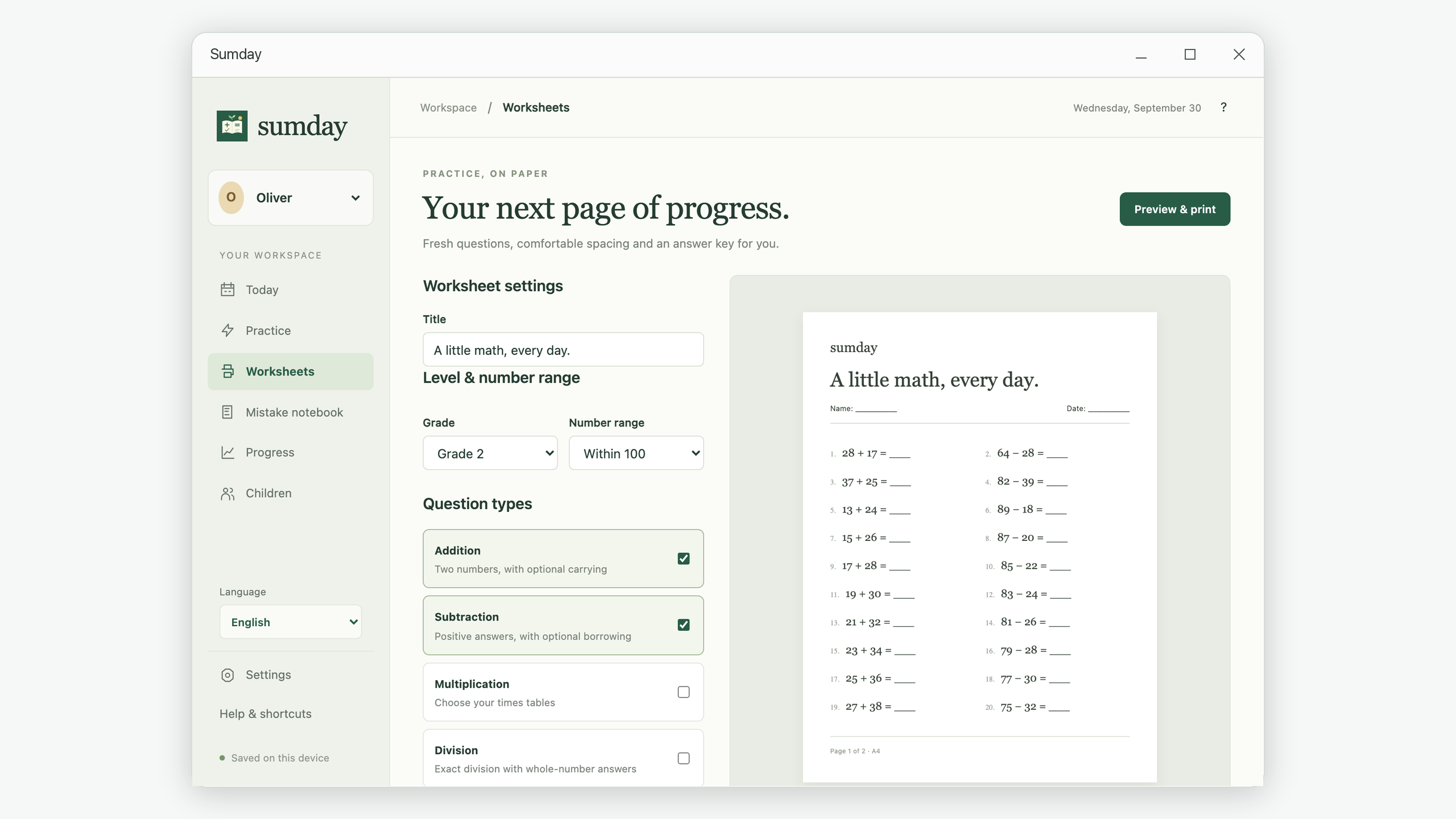
Large print changes the defaults. Turning it on sets 12 questions and two columns. Review those values afterward. More questions can span several pages; the preview tells you the total. Sumday keeps questions unique within a generated worksheet. If a very small range cannot supply the count you requested, reduce the count or expand the range.
3. Keep the answer key separate when printing
Sumday puts the answer pages after the question pages. Use the preview arrows to find the first answer page. A 30-question standard addition sheet has one question page and one answer page; written column arithmetic or large print can create more pages.
Choose Save PDF, pick a folder, and open the saved file in your PDF viewer. To give the child only the exercises, print the question-page range rather than the whole document. Print the answer pages separately for your own checking.
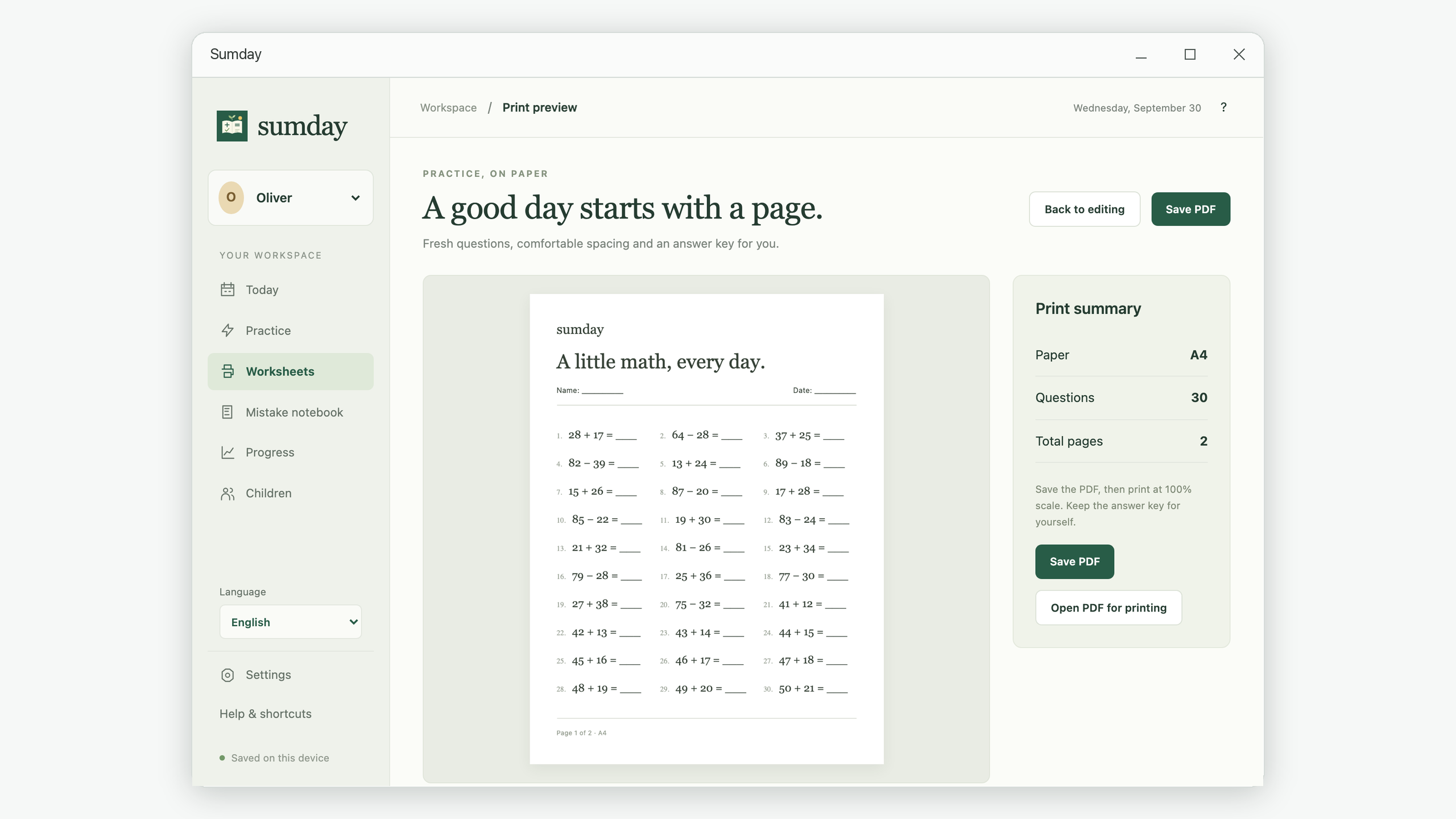
Match the printer paper size to the PDF. Start with 100% or Actual Size and inspect the print preview for clipping. If your printer cannot fit the page’s margins, a Fit or Shrink option can help, though it changes the printed size. Adobe’s page-sizing guide explains these scaling choices for Acrobat.
4. Use this quick troubleshooting checklist
- The preview still shows the old settings: click Generate fresh questions again.
- There is too little writing room: use two columns, large print, or fewer questions.
- The worksheet includes carrying: confirm that the carrying and borrowing checkbox is off and regenerate.
- The printer includes the answers: change the page range in your PDF viewer.
- The page cannot generate: ask for fewer unique questions or widen the number range.
What should you do after the page is finished?
Mark the answers, then discuss one missed question together. Paper answers do not enter Sumday’s progress records automatically. For recorded attempts, use an on-screen practice session; for a paper review, keep a dated note beside the worksheet. If the same borrowing error appears repeatedly, use the borrowing review guide to choose a more specific next exercise.